Summary
- Flights can be shared between CloudAhoy pilots
- Flights can be shared via a link with anyone
- Flights can be posted to Facebook and Twitter
The Share button is located on the top bar: 
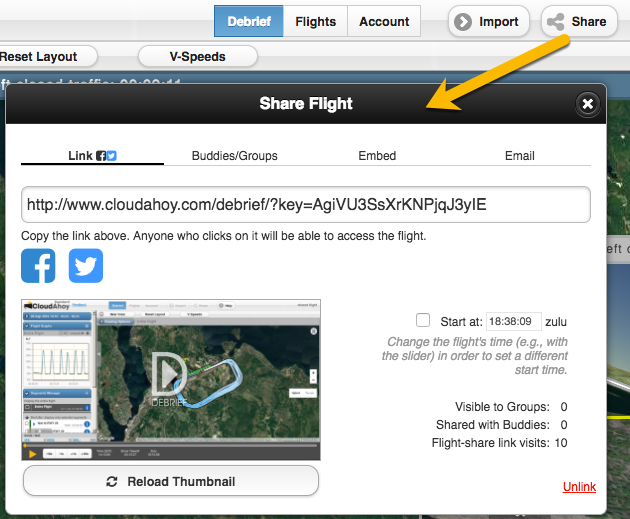
To share a flight click on the Share button -> the “Share Flight” dialog comes up.
You can share directly on Facebook or Twitter by clicking on the icon under the link.
Any of your flights (flights in which you were one of the pilots) can be shared with others
- Between the a pilot and a co-pilot / CFI
- Sharing with anyone via a link, even with people who do not have a CloudAhoy account.
- With CloudAhoy buddy
- With a CloudAhoy group
IMPORTANT - AdBlocker for Chrome
Chrome’s AdBlocker extension (and several others ad/popup blockers) hides the SHARE button. To use Chrome, please disable AdBlocker. Or you can use another browser.
Further Reading
Pilot / co-pilot (or CFI)
Share a flight in email
Share on your Facebook or Twitter page
Create a flight-share link
Embed a flight debrief in a web page
Share with a buddy
Share with a group