Summary
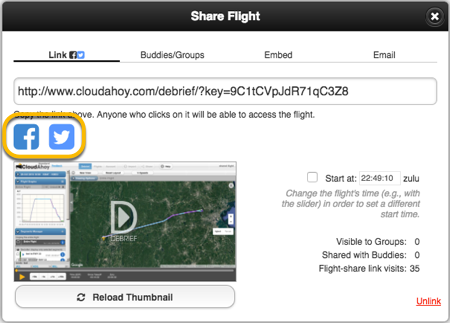
- You can automatically post the flight on your Facebook wall, or your Twitter account.
Posting the flight .
Step by step:
- Debrief the flight.
- Click the “Share Flight” button (on top)
- A dialog opens, and the “link” option is selected.
- (Optional) check the Start at checkbox and use the timeline to set the time in the flight that you’d like the debrief to start when the shared flight is opened.
- Click the Facebook or the Twitter icon. You can add optional comments.
Alternatively, you can post your from the Flight’s tab’s Share Flight button.
Further Reading
Pilot / co-pilot (or CFI)
Share a flight in email
Create a flight-share link
Embed a flight debrief in a web page
Share with a buddy
Share with a group