Summary
- Record flight data on the SD-Card of the G3X / G300 / G5 EFIS
- Import the flight data into CloudAhoy
If your aircraft is equipped with Garmin G3X, G5, or G300 avionics, you can debrief your flights using rich high-quality flight data captured by the avionics.
Garmin G3X, G5 or G300 writes flight data into an SD card. To debrief the flight you need to import that data into CloudAhoy.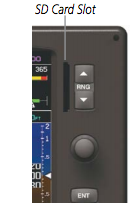
Logging the flight
Important: please consult your G3X/G300/G5 manual and/or the aircraft’s owner for details specific to your aircraft.
- Before turning on the avionics, insert an SD card into the SD Card slot. If you have both a PFD and an MFD, the card should typically be inserted in the master, i.e., the PFD.
- During flight, flight data is written automatically into your SD card.
- After the flight, remove your SD card. You now have the flight data in the SD card.
Data on G5
Since Garmin G5 writes all flights’s data on a single file on the SD Card, you need to clear the data on the card before the flight so that only one flight will be stored on the G5 card after landing.Importing a flight to CloudAhoy
- Insert the SD card in a card reader connected to your desktop or laptop computer. The SD card’s folder will appear on the desktop.
 Open the folder. It would typically contain a data_log folder, and in it the flight’s data file in CSV format.
- Open a web browser and login to your CloudAhoy account.
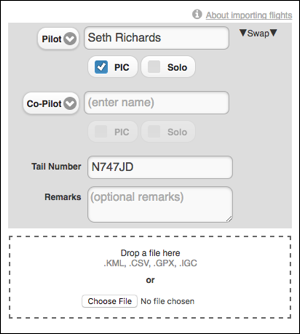
- Click the
 button at the top of the screen. Enter the flight’s pilot names, tail number and optional remarks (you can edit all these later), click Choose File and select the CSV file with the data, then click Open. Alternatively, drag and drop the CSV file from your computer into the drop area.
 - The flight now appears in your flight list, and is ready to be debriefed.
Importing multiple flights to CloudAhoy
You can import any number of flights in one import operation using the steps outlined above; in step 4, simply select (or drag/drop) multiple files. Please note that the information in the dialog box, including the pilots’ names and remarks, would be applied to all the imported flights. If needed, then after the import you can edit specific flights and modify this information.
Debriefing G3X, G5 and G300 Flights
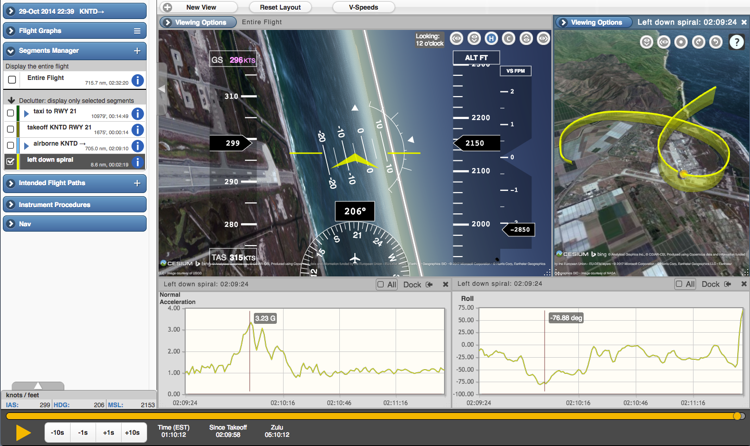
CloudAhoy can display the rich G3X, G5, or G3000 data in graphical as well as numeric forms. The screenshot below has flight graphs showing a specific maneuver as the aircraft is pulling 3.23G while making a 77° left turn.
CloudAhoy can display about 40 different flight profiles for flights imported from G3X. G5 or G300, such as OAT, IAS, EGT and even transponder codes used during the flight.