Summary
- CloudAhoy PRO is highest subscription tier available
- It includes CFI Assistant, a tool for automatically scoring flight segments
- Instrument approach details can be viewed directly on the segment details
- 3D Cockpit view will display rich gauges
CloudAhoy PRO is a subscription plan level that includes numerous features aimed at improving your debriefs. CloudAhoy PRO is available at a cost of $150 per year and can be purchased through the account tab. Existing subscribers to CloudAhoy Standard can upgrade their subscription to CloudAhoy PRO; the remaining balance of their existing subscription will be applied towards the purchase of PRO.
CFI Assistant
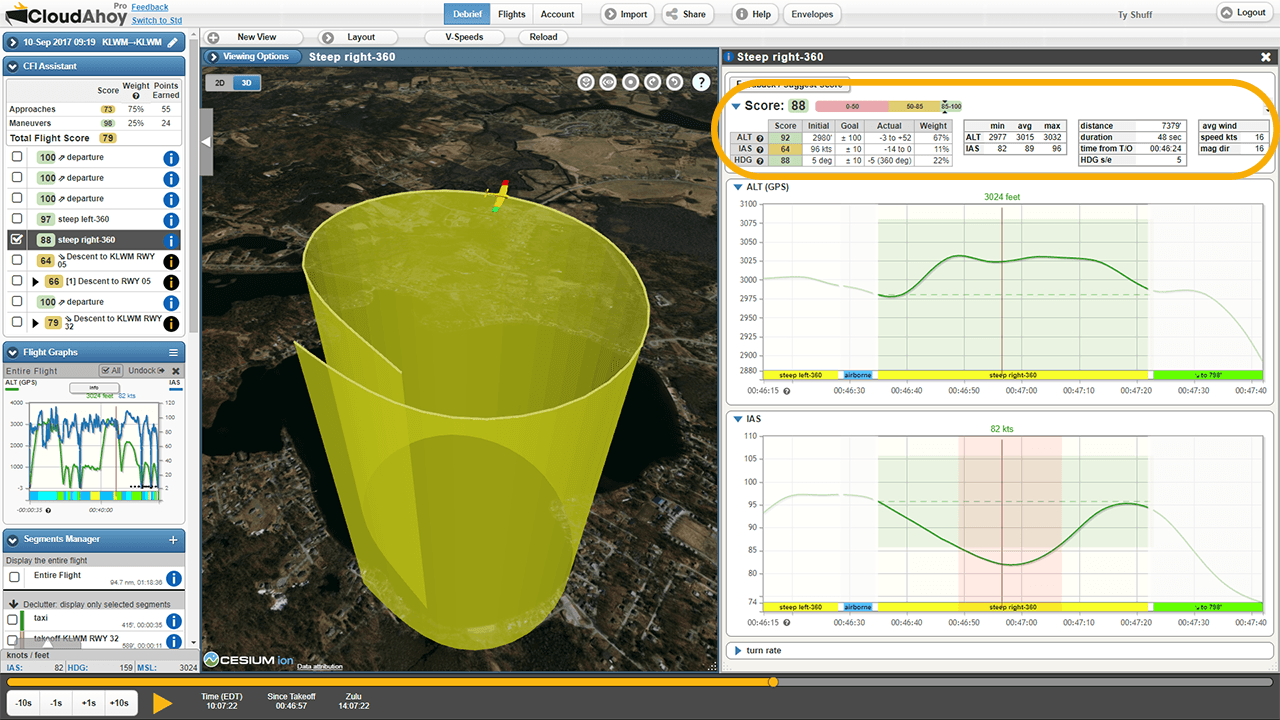
CFI Assistant offers automatic scoring for individual segments and entire flights. You can drill down into your flight and see where you performed well and where there is room for improvement. CFI Assistant is not meant to replace a human instructor, but rather provide feedback on objective and measurable aspects of flying.
Instrument Approach Details
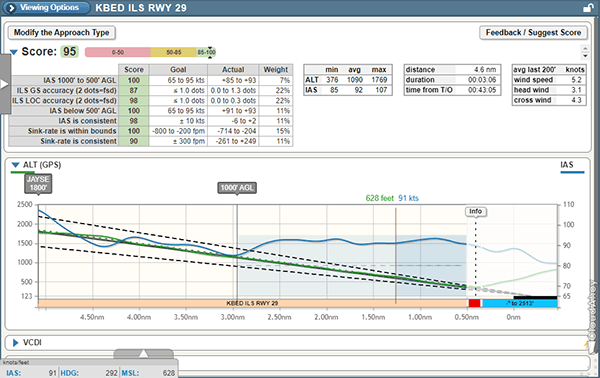
For instrument pilots, CloudAhoy Pro provides a profile view of the approach, complete with waypoints and published vs actual altitudes including segments where you flew below minimums. These approaches are all scored by CFI Assistant. CloudAhoy will also draw a depiction of the glideslope in for all ILS approaches.
Instrument approaches are automatically detected by both CloudAhoy Pro and CloudAhoy Standard.
Rich Gauges
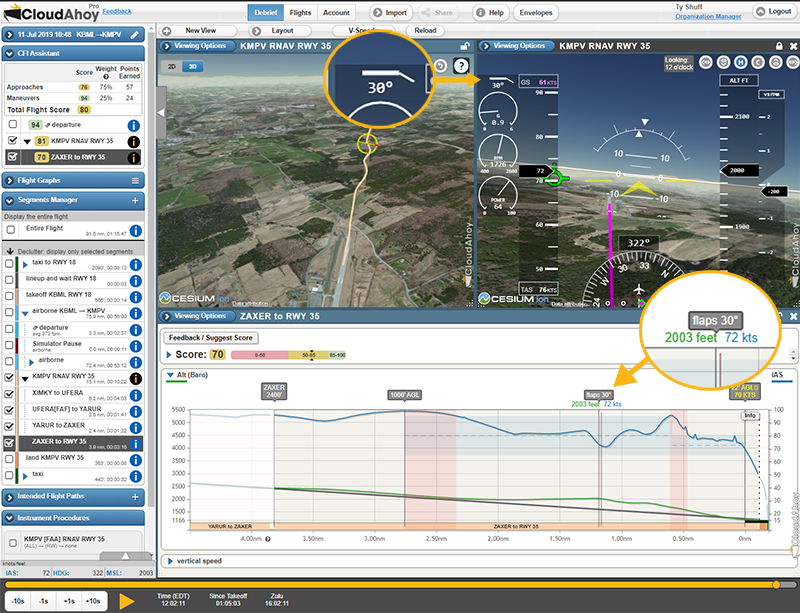
If your flight includes rich data, such as that from a supported EFIS, CloudAhoy Pro will enable you to view that data on screen in real time. This data includes things like engine RPM, engine power, fuel consumption, and more. Rich data will also be included on the profile view of your approaches noting the location where you added flaps.
CDI & Glideslope
CloudAhoy will depict both horizontal and vertical CDI on your debriefs. For rich data users, this data is taken directly from your avionics. For everyone else, CloudAhoy computes these values.
Flight Path Vector
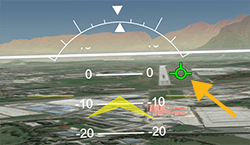
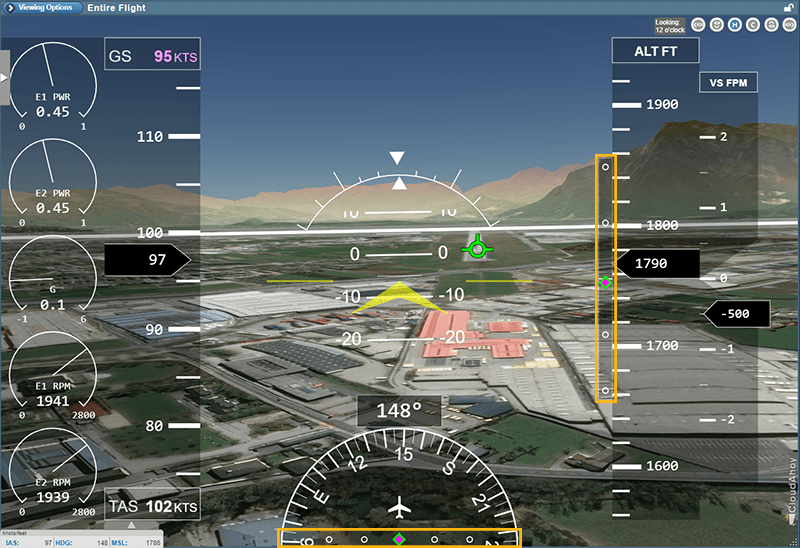
The Flight Path Vector (FPV) allows you to see the aircraft’s vertical and lateral movements. By using the FPV you can visualize the amount of correction you made during an approach; it should remain centered at the desired aiming point and movement should be very slight, if at all. Large shifts left and right may indicate overcontrolling.
The Flight Path Vector also enables to pilot to visualize their crosswind correction and see where the plane was moving in addition to where it was pointed.