Summary
- Flight data on a USB memory stick.
- Import with the Flight Import button
The Avidyne IFD stores rich flight information, which can be imported to CloudAhoy.
To import from an Avidyne device, follow these instructions:
- Download logs into your USB stick, optionally using the “since last” option instead of “full logs”.
- Insert the USB stick into your computer.
- Open a web browser and login to your CloudAhoy account.
- Click the
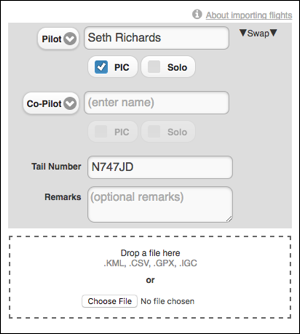
 button at the top of the screen. Enter the flight’s pilot names, tail number and optional remarks (you can edit all these later), click Choose File and select the CSV file with the data, then click Open. Alternatively, drag and drop the CSV file from your computer into the drop area.
 - The flight(s) now appears in your flight list, and is ready to be debriefed.
Note: Avidyne can write logs of multiple flights into a single CSV file. Importing that CSV file will import all the flights in it. You can control the number of flights written using the “since last” option of Avidyne IFD.
For more information, see the Avidyne documentation for your device.