Summary
- Download the IGC file from your logger.
- Import with the Import button
 IGC loggers are in wide use by glider pilots. Many loggers support downloading the flight data in IGC file format.
To import the data to CloudAhoy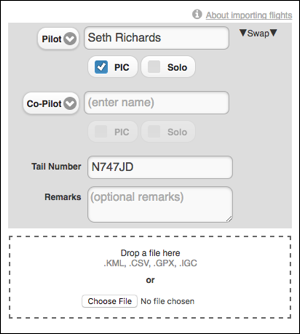
- Open a web browser and login to your CloudAhoy account.
- Click the
 button at the top of the screen. Enter the flight’s pilot names, tail number and optional remarks (you can edit all these later), click Choose File and select the IGC file with the data, then click Open. Alternatively, drag and drop the IGC file from your computer into the drop area.
 - The flight now appears in your flight list, and is ready to be debriefed.
Important – CloudAhoy can import IGC files with one flight only.