Summary
- VIRB’s GPX files need to be stitched together.
- Once stitched, import the GPX file.
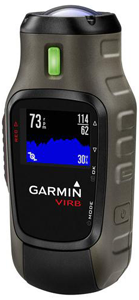
Garmin’s VIRB video camera is gaining popularity among pilots. VIRB also captures the flight’s GPS data in GPX format, and that data can be imported to CloudAhoy for further debrief.
The caveat is that VIRB’s GPX files are only up to 20 minutes each. If your flight was longer, you would end up with several GPX files. CloudAhoy can only import one GPX file per flight, and therefore the VIRB files need to be combined into one file (“stitched” together) before importing them to CloudAhoy.
We have described in our blog one way of stitching VIRB’s files, using a free tool called Adze.
Another way to stitch is by using Garmin’s free Basecamp program, available on Windows and Mac. To stitch from Basecamp:
only one track
When stitching, make sure the resulting GPX file has only one track. CloudAhoy cannot import GPX files that have more than one track.- Select “My Collection” (top left)
- File > Import, import all of VIRB’s GPX files into
- Select all the track under “my collection” (left panel, middle)
- Right click > Join the Selected Tracks…
- Click YES to delete the original tracks
- Select the joined track (called “Track”)
- File > Export > Export selection, save on the desktop
You now have a GPX file that can be imported to CloudAhoy.
Further Reading
How to stitch together VIRB files
Importing a GPX file into CloudAhoy