Summary
The Settings tab allows you to customize the values which will trigger exceedances (safety events).
Authorized people within the organization may configure the Settings used by the organization.
Workflow
- To make any changes to the Settings, click on the “Edit” button
- Your changes are saved automatically
- At any point you can go to the Dashboard and immediately see the impact of your changes.
- You can make those changes apply to the entire organization by clicking the “Publish” button (you will get a dialog to confirm)
Only one person can edit the setting at any given time.
Step by Step
Set permission in Org Manager
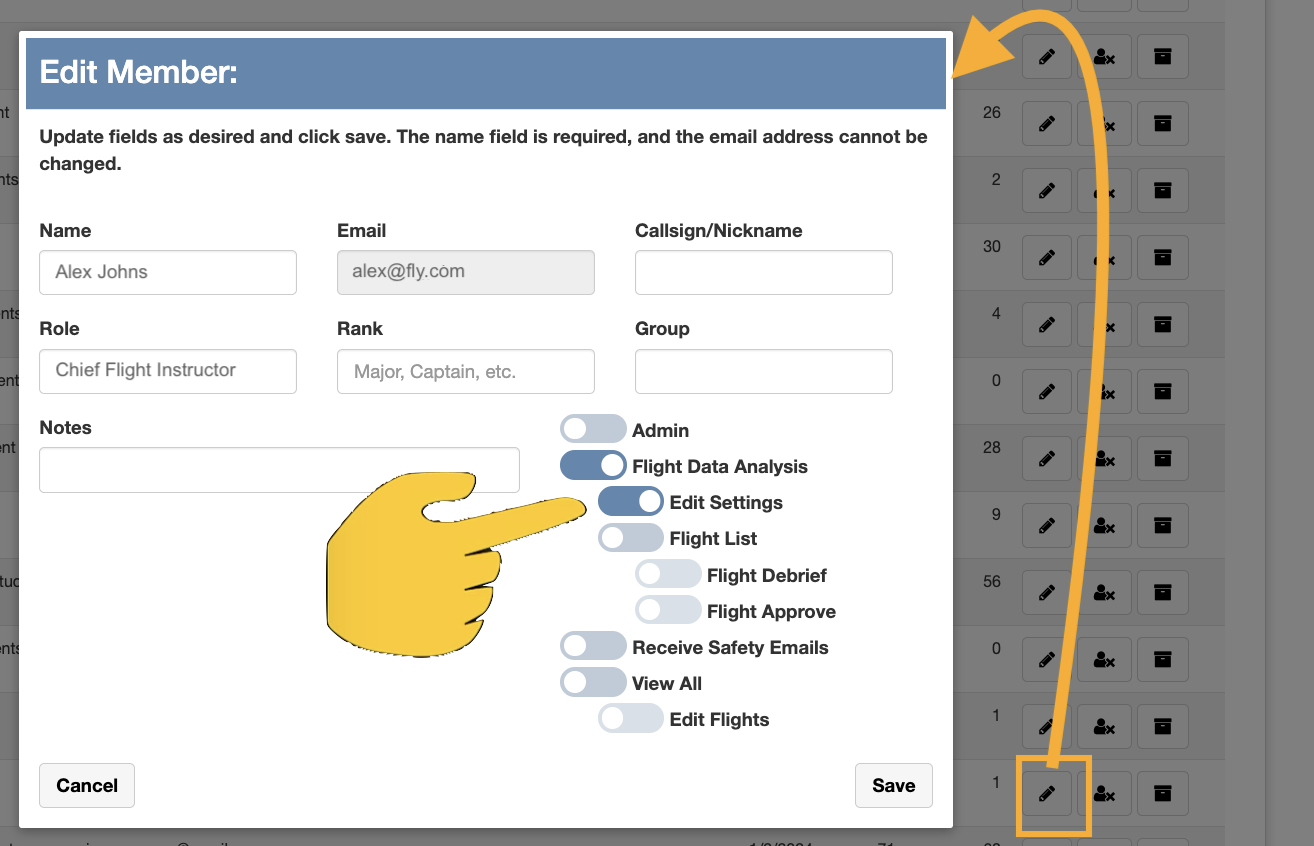
Permission to customize the Settings must be set in the Org Manager by an admin.
In the screenshot below (taken from the Organization Manager) the admin is giving a member of the organization permission to edit the Settings.
Customizing the Settings
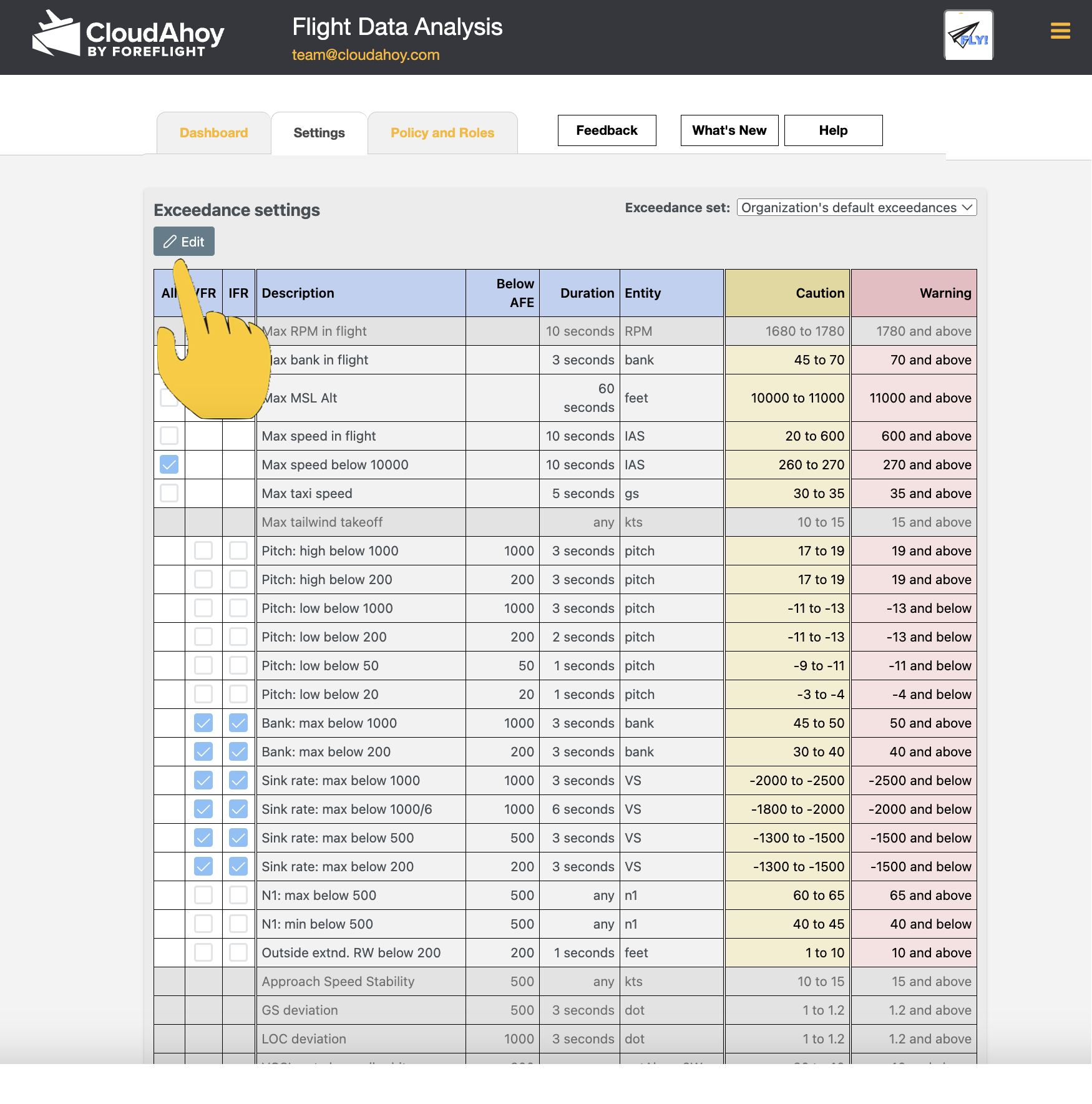
To start customizing the Settings, click on the “Edit” button
You will notice that some columns are now editable:
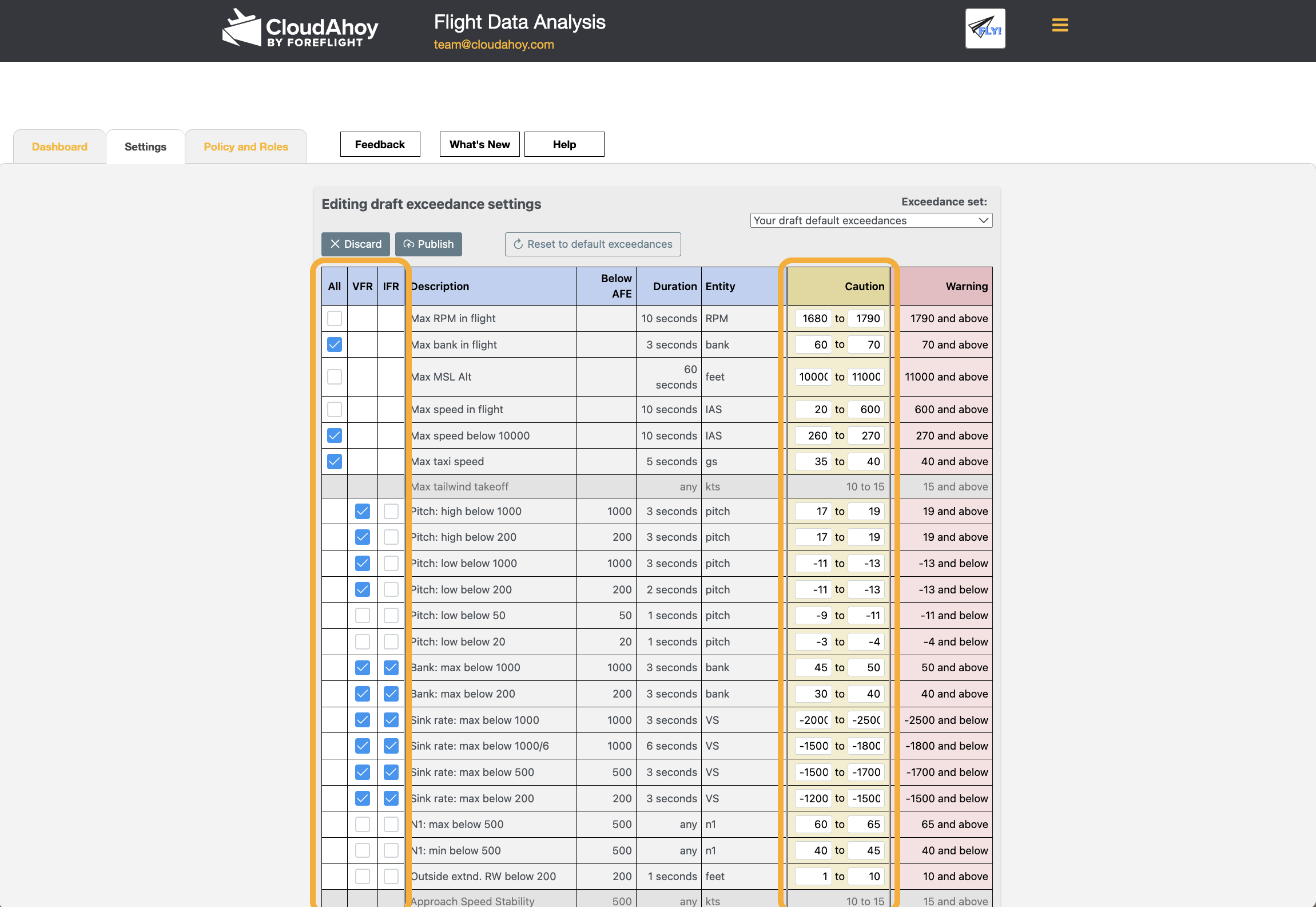
You can now edit. In the example below we enabled a few lines in the “Use?” column. Once changes have been made, the “Discard” and “Publish” buttons become available: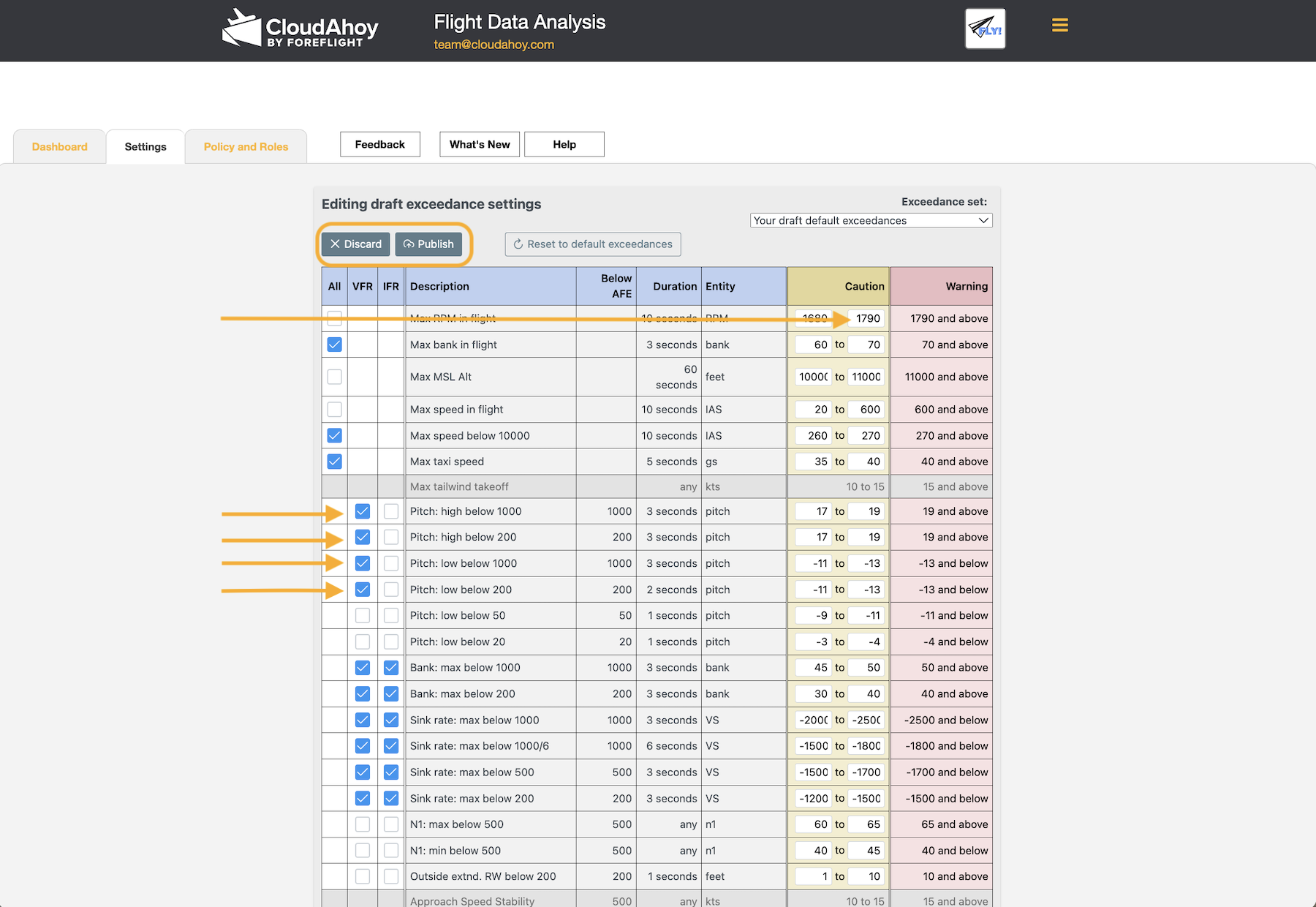
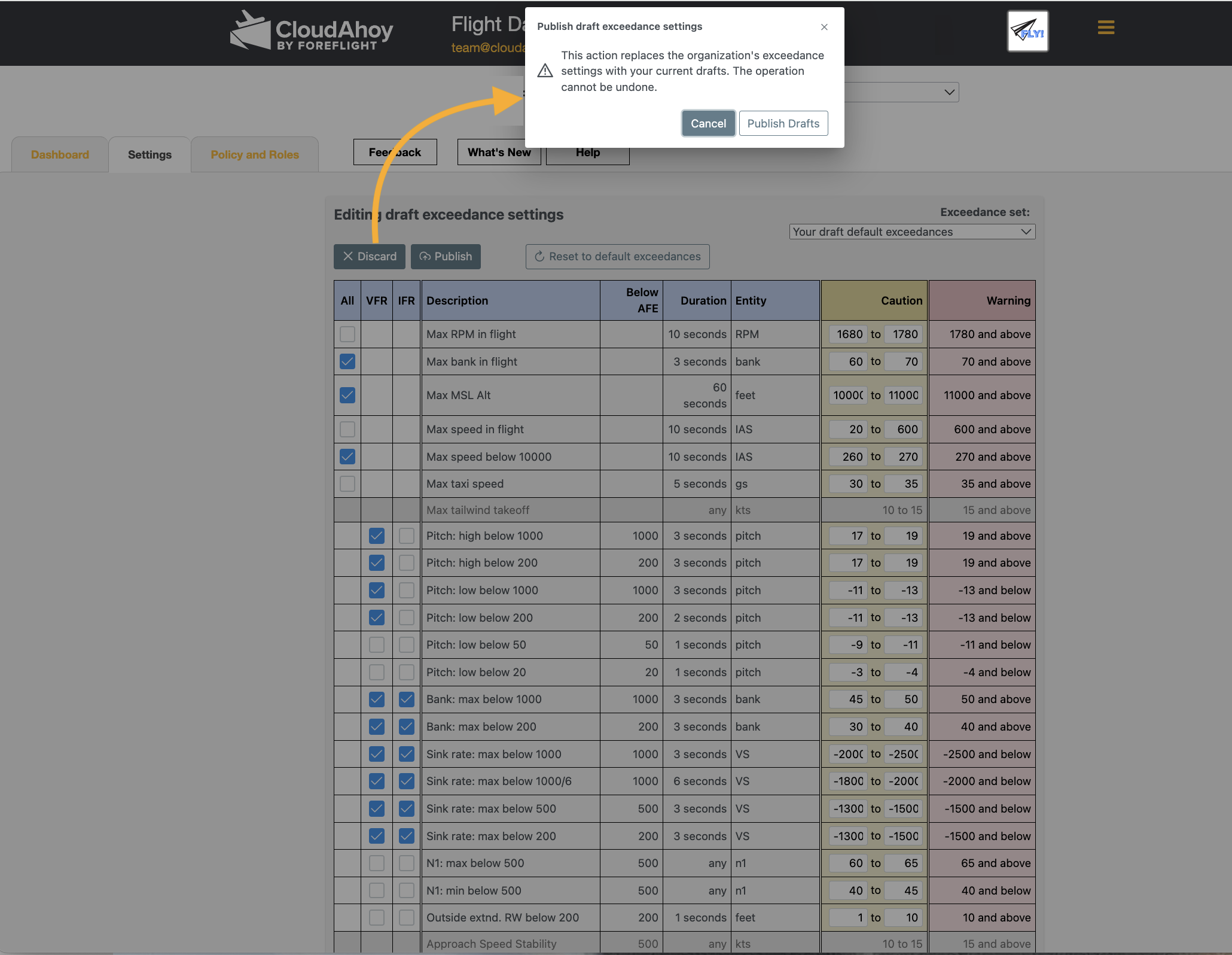
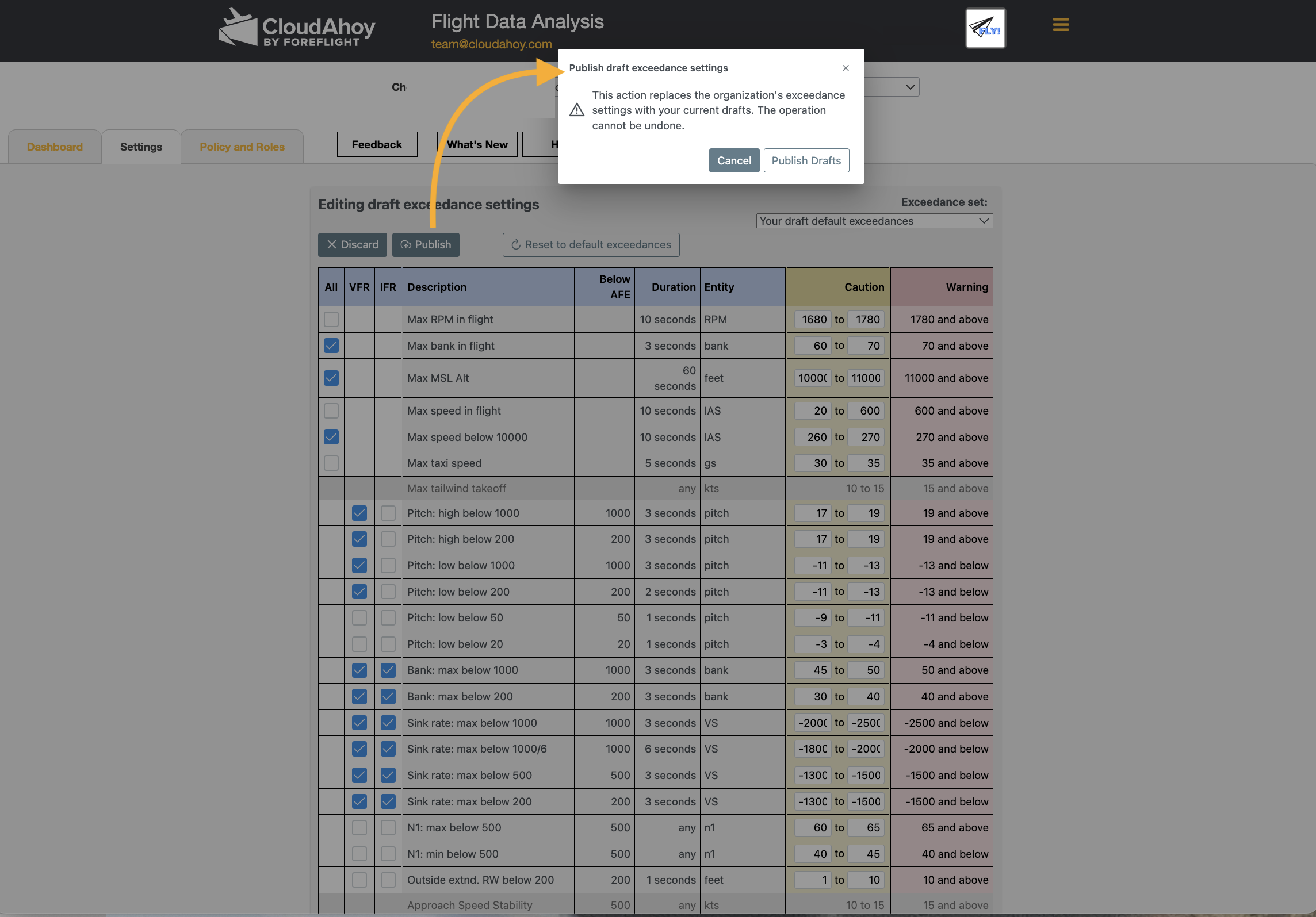
You may choose to publish, and will be asked to confirm:
Or you may choose to discard: